
Finishing 2026 strong. 2027 starts here - Software
Our new Enterprise Module SDK, a redesigned UI, easier rebranding across web and apps, and a new Operations workspace. A look at the software improvements helping customers build, run and get more from their tracking service.
We’re on it. Moving fast. Setting the pace.
Build your own tools.
Inside Chicane.
Our new Enterprise Module SDK opens up another way to build on Chicane. Partners and developers can create their own screens, dashboards and workflow tools inside the platform, using the vehicle and asset information their users are already permitted to see.
That could be a personal fleet-notes tool, an equipment-status dashboard, or a specialist view built around a customer’s operation. Custom badges and map icons can bring that information into the everyday tracking experience.
Custom screens · Fleet data · Maps & history
Working examples show what is possible. Fleet Notes provides a simple starting point. Asset Pulse combines equipment-status cards, configurable input rules, follow-up notes, maps, recorded trails and historical charts.
The SDK includes a developer guide, starter project, local preview and packaging tools. Account administrators review each module’s requested access and choose who can use it, with the platform’s existing permissions still applying.
A clearer view of the work that matters.
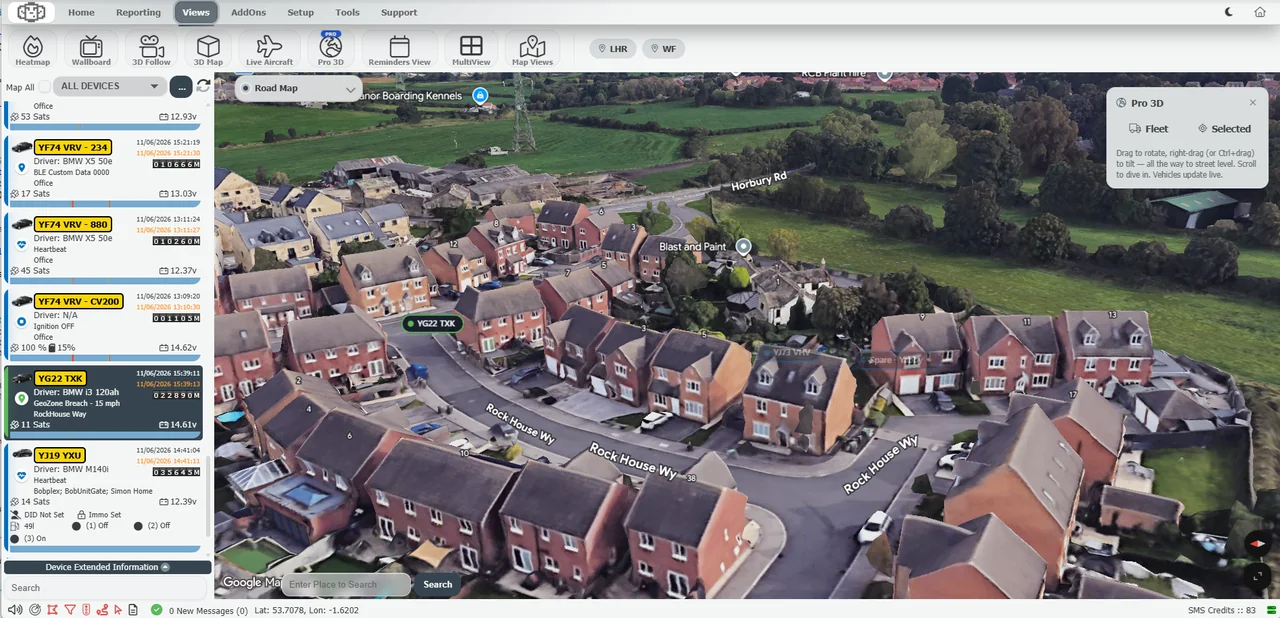
Our software work this year has started with the experience on screen. We’ve developed new interfaces that bring vehicles, journeys, alerts and useful information closer together, with layouts that adapt to desktop, tablet and phone.
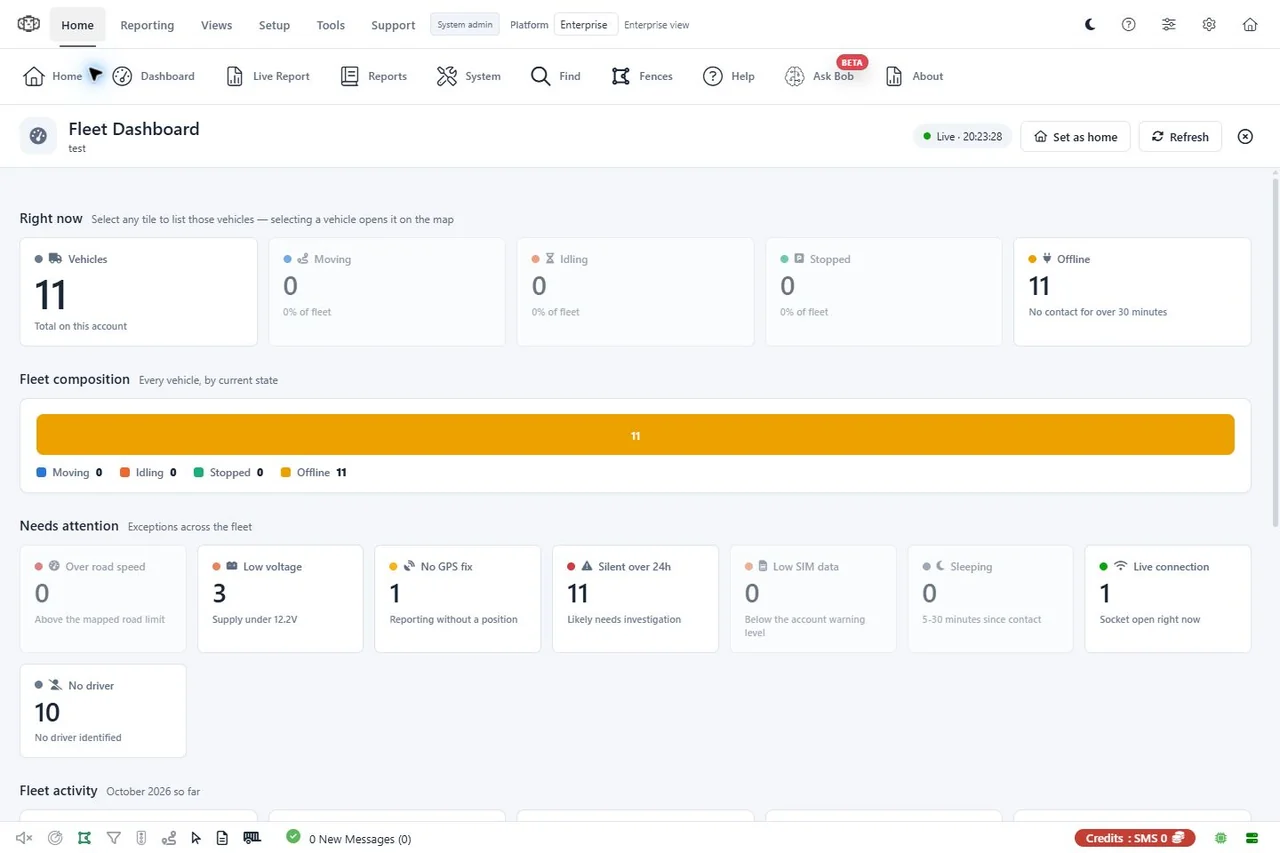
The Fleet Dashboard brings vehicle status and the items needing attention into a clearer overview. Together with refreshed navigation, reporting screens and layouts for smaller devices, it makes the platform easier to work with throughout the day.
Integrated AI help. More languages.
Integrated AI help brings product guidance into Enterprise and IoT, with questions and answers inside the platform. Click-to-explain help also lets users explore supported controls on screen, keeping guidance close to the task at hand.
Multilingual interface support gives teams a more familiar way to work. Users can choose their preferred available language, with the choice saved for their own login across the tracking web platform and supported apps.
Complete white-label web and apps.
Made simple.
Give customers a complete white-label tracking service under your own brand, across the web platform and branded Android and iOS apps. A consistent experience from the first sign-in to the tools they use every day.
Set your name, logos and colours, choose your web domain and login experience, and carry that identity into app names, icons and launch screens. Tracking and driver apps can be prepared under your brand alongside the web platform.
Our managed app profiles, build tools and store-submission workflow bring the process together, making new rebrands and future updates simpler to prepare and manage.
Bring that branded experience to more teams with multilingual interface support and integrated product help.
Your name. Your look. One connected customer experience.
The right tools, wherever the day takes you.
The browser and native app experiences share more of the same platform, bringing tracking, replay, alerts and vehicle information to the device at hand. Branded Android and iOS builds give partners a customer experience under their own name.
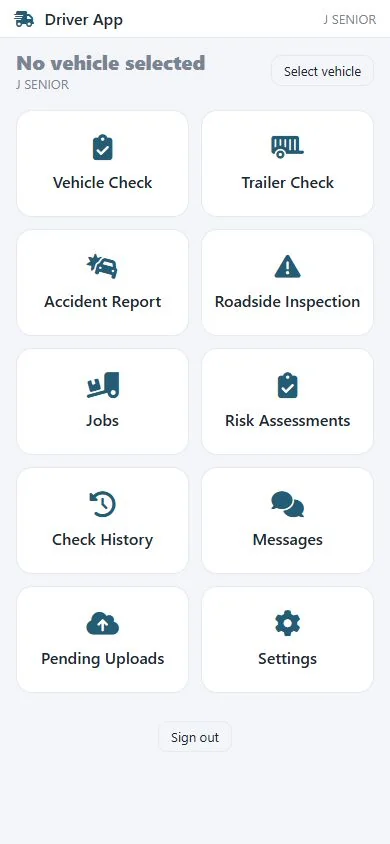
Beyond the fleet viewer, our driver tools bring together messaging, vehicle and trailer checks, safety inspections and jobs. Completed checks can queue for upload when a connection returns. The phone tracker app adds another option: use a phone to report its position into the tracking platform.
Different teams need different tools. This work gives drivers, vehicle owners and fleet users more practical ways to use the same connected service.
A new workspace for the operational day.
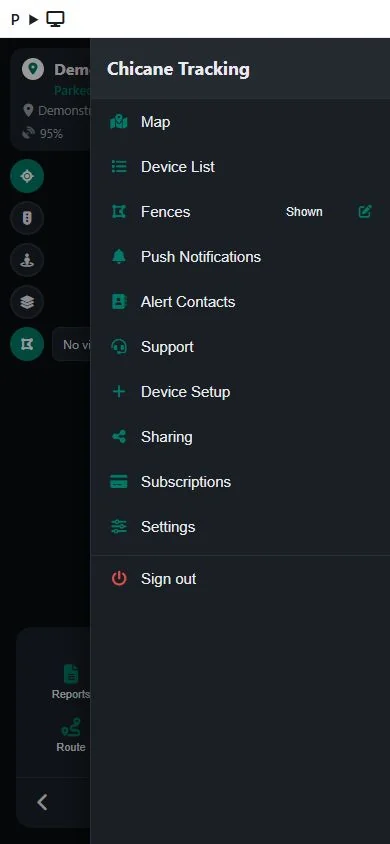
Chicane Operations brings a focused workspace for the people watching vehicles and responding to what happens next. Live devices, history, zones and routing sit alongside the controls needed to investigate a journey or act on an alert.
Teams can review history, export PDF or Excel reports, manage permitted groups and users, and view linked cameras where supported. Device photos and attached documents add useful context alongside the map.
With an installable web app and layouts for smaller screens, Operations gives teams another way to work with Chicane in the office and on the move.
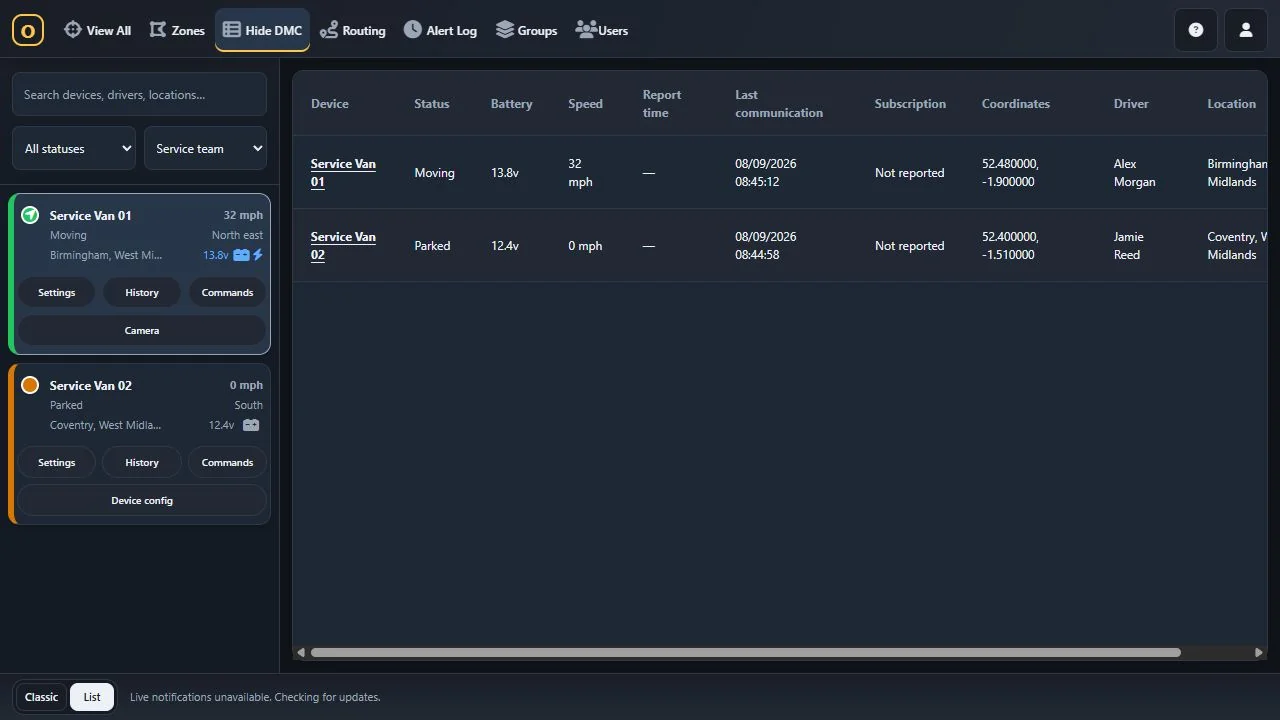
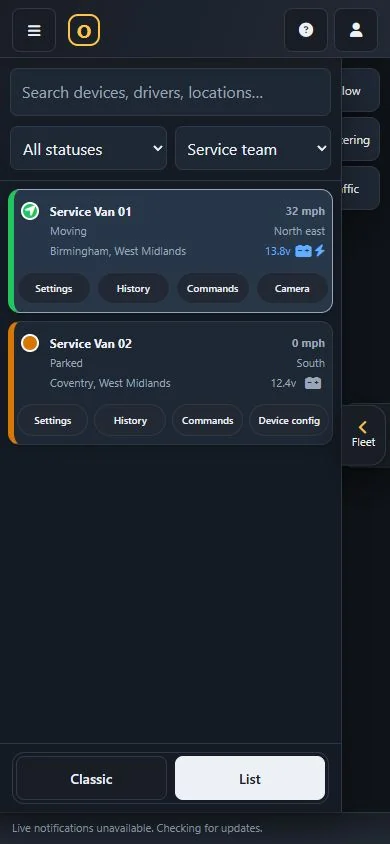
From the desktop fleet overview to the phone’s device cards, Operations keeps status and the next available actions together. These captures use the current interface with local demonstration data.
From remote download to useful answers.
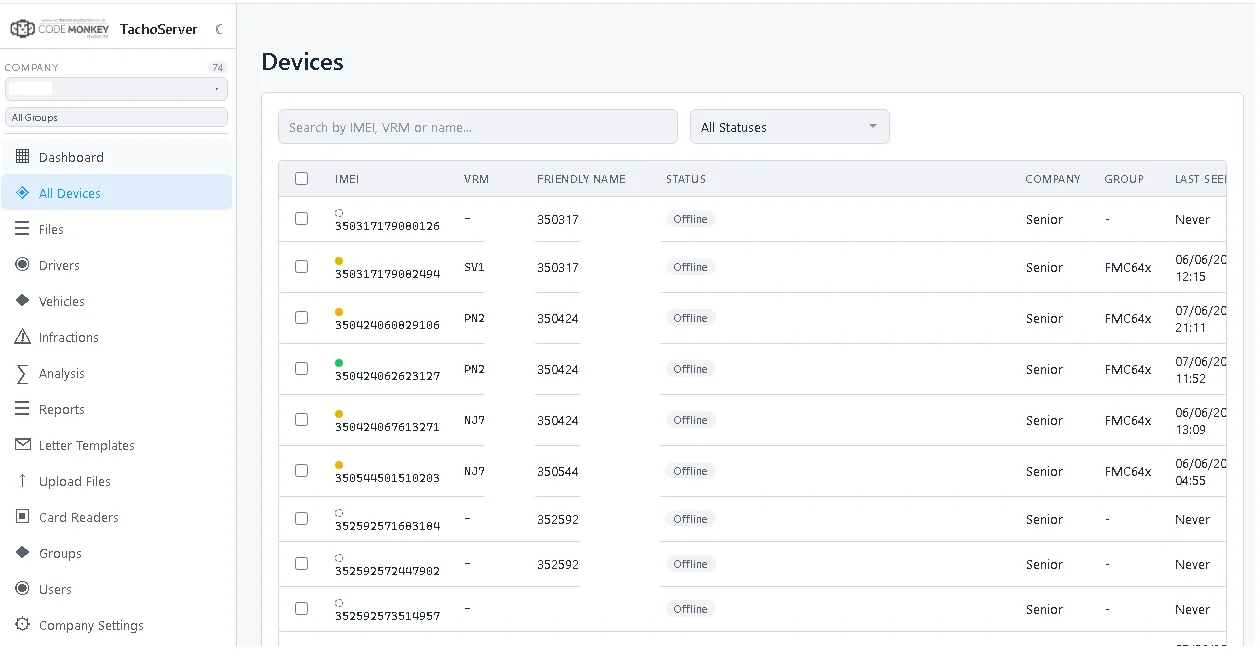
Our new tachograph download server brings remote vehicle-unit and driver-card downloads together with scheduling, live download status and file management. The company card stays in the office while authentication is relayed to supported equipment in the vehicle.
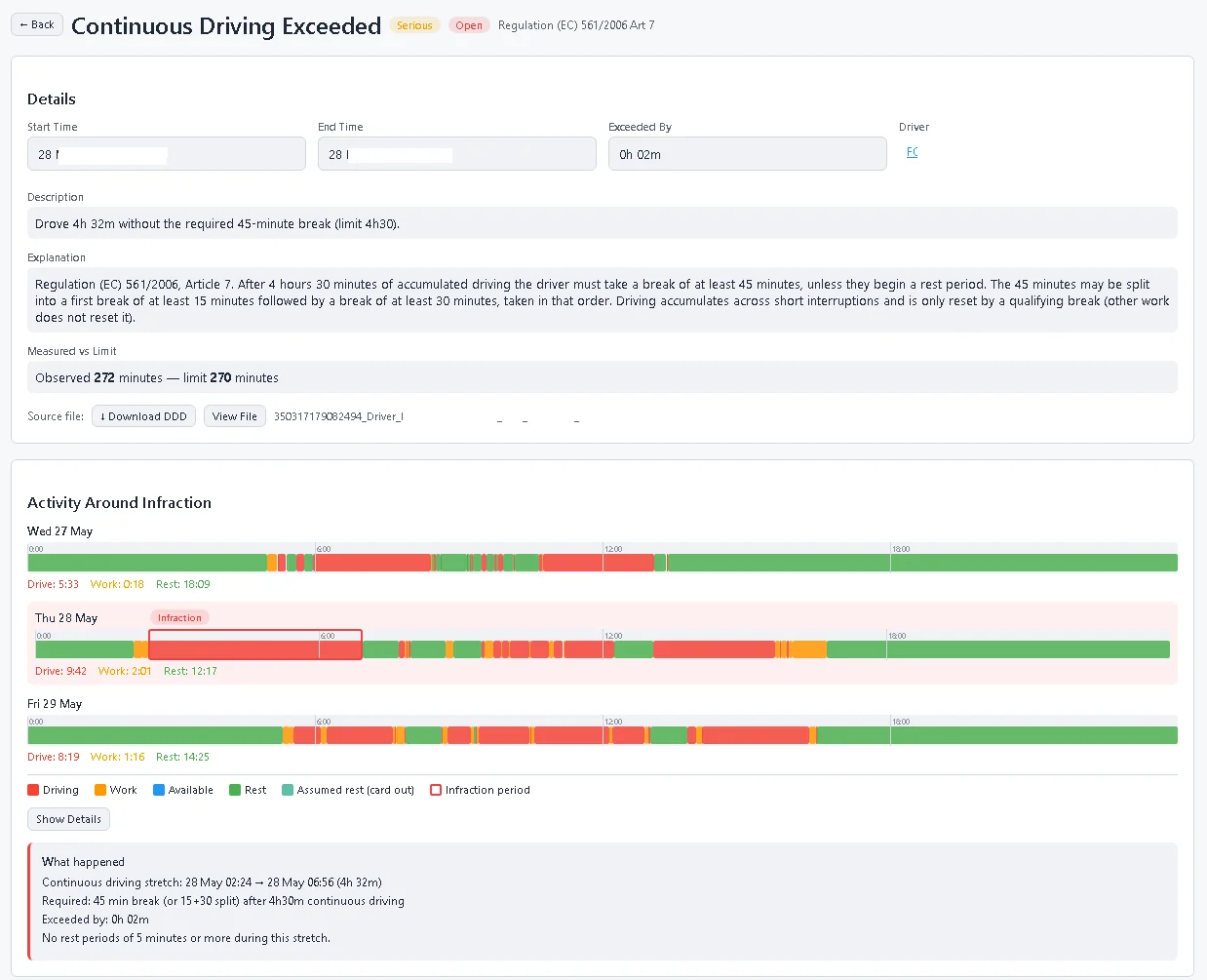
The work continues after the file arrives. Downloaded .DDD files can be parsed and reviewed through activity timelines, events and faults, speed and calibration information, with PDF reports and tools for reviewing flagged drivers’ hours and working-time issues.
Our DDDparser work also makes structured tachograph data and optional analysis available through a web interface and API. Together, these tools connect collection, analysis and review in a more usable workflow.
More insight from every journey.
Chicane remains the platform connecting this work. Live tracking and journey replay sit alongside geofences, visits, reporting, cameras and maintenance, with white-label tools for the partners delivering the service.
Fleet IQ Score and Driving Dynamics reports add more ways to review fleet activity. Mileage, idling, driver behaviour, fuel and AdBlue reporting help turn available vehicle data into information teams can use. Scheduled reports and PDF and Excel outputs make that information easier to share.
Alongside the visible changes, we’ve continued work on device integration, access controls and customer privacy. Features vary by plan, hardware and deployment, giving us a broader foundation to build on in 2027.
Connected vehicle data
We’ve also added OEM Connect and owner-authorised BMW CarData integration, bringing available vehicle readings alongside tracking. The data shown depends on the vehicle, BMW’s coverage and the owner’s permissions.
And we’re not slowing down.
From the Enterprise Module SDK and redesigned UI to simpler rebrands, new apps, Operations and tachograph analysis, 2026 has been a year of bringing more of the software together. We’re carrying that work into 2027 with a clearer experience for customers and more tools for the teams behind them.
Finishing 2026 strong. Ready for what comes next.