
Tracking solutions
Fleet operations software — Chicane Operations
Chicane Operations is a focused workspace for teams monitoring vehicles and responding to the operational day. Review device status and journey history, work with zones and routing, and keep the next available actions close to the fleet overview.
From fleet overview to the next action
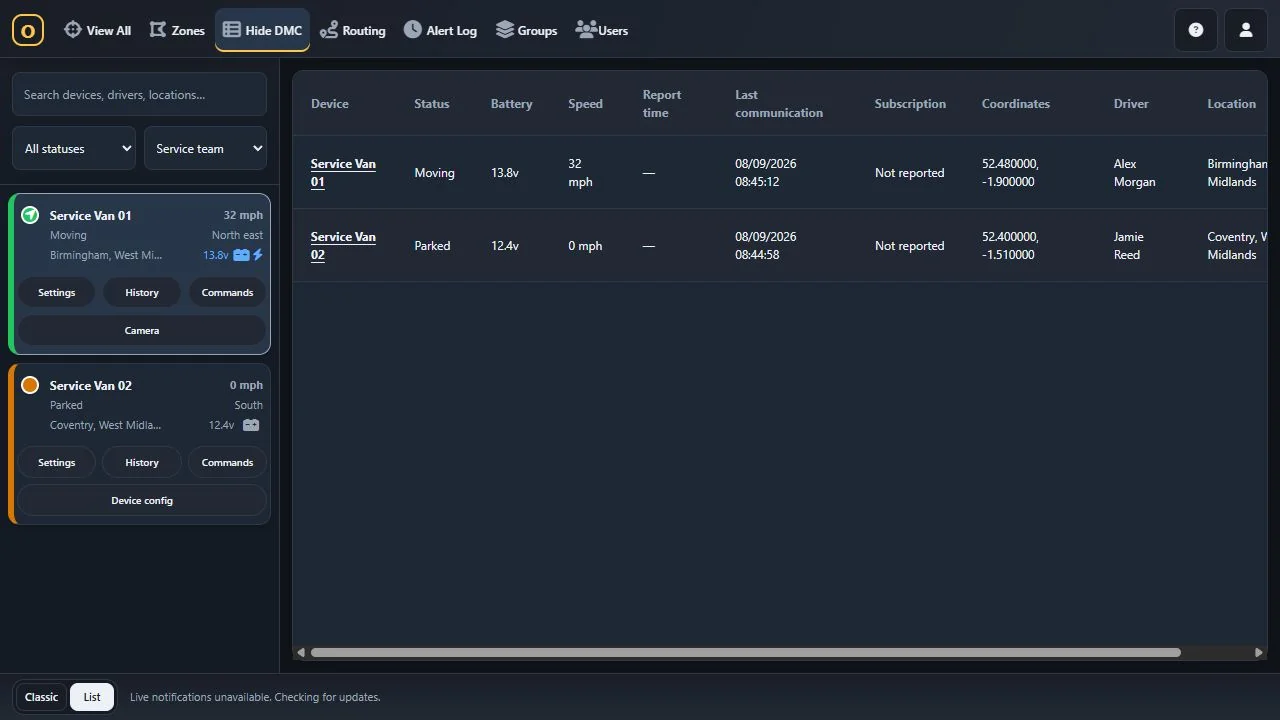
Device cards and list views bring the fleet into a focused dashboard. Open a vehicle to investigate its activity, review history, use routing tools and work with supported device actions. The available controls depend on the device and the user's permissions.
History exports to PDF and Excel help teams share the journey evidence they need. Groups and user roles keep operational access aligned with the people doing the work.
Context alongside the map
Linked cameras can provide additional context on compatible hardware. Device photos and attached documents keep useful information alongside the vehicle, while zones help teams work with the places important to their operation.
Camera functions and telemetry require compatible devices, configured integrations and an appropriate plan. Agree those requirements before relying on a particular view or control.
Desktop, phone and installable web app
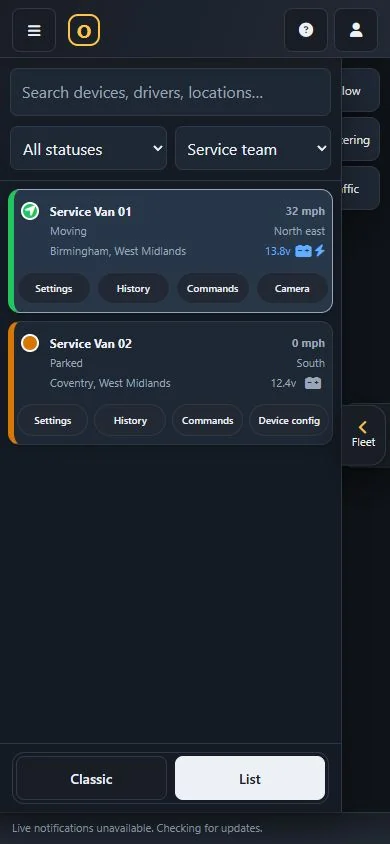
Operations adapts from desktop fleet cards to smaller phone layouts and can be used as an installable web app. It is part of the Chicane experience, with access and capabilities set by the deployment.
For a complete branded customer service, pair the web experience with the relevant tracking or driver app. For specialist Enterprise tools and workflows, explore the Enterprise Module SDK.
Operations on desktop and phone
Current interface captures with local demonstration fleet data.
Products and practical next steps
See the documented features, hardware requirements and integration scope.
Questions about chicane operations
What is Chicane Operations?
A focused Chicane workspace for monitoring devices, reviewing journey history, zones and routing, with supported camera views and operational controls.
Can I use Operations on a phone?
Operations has layouts for smaller screens and an installable web app. Available functions depend on the configured deployment and permissions.
Does every vehicle support cameras and remote controls?
No. Camera views and device actions require compatible equipment, integrations and user permissions.
Related tracking solutions
Vehicle & fleet tracking
GPS vehicle tracking and fleet management with Chicane: live maps, journey replay, geofences, driver reports and supported video, CAN and tachograph data.
Explore vehicle & fleet tracking →Insurance tracking & vehicle recovery
Tracking infrastructure for insurance-related vehicle security and stolen vehicle recovery: Chicane workflows, AlertAxis alarm handling and hardware integration.
Explore insurance tracking & vehicle recovery →OEM & connected vehicle integrations
Bring OEM connected vehicle data into Chicane. Explore owner-authorised BMW CarData, tracker data, source timestamps, compatibility and bespoke integrations.
Explore oem & connected vehicle integrations →White-label tracking platforms
Launch vehicle tracking under your own brand with Chicane: multi-tenant software, branded web and mobile apps, reseller tools and tracking hardware supply.
Explore white-label tracking platforms →Asset, plant & equipment tracking
Track assets, plant and equipment with GPS hardware, Chicane and BLE tag middleware. Compare reporting, battery and network requirements for your deployment.
Explore asset, plant & equipment tracking →